+1 562-254-5145
 [email protected]
 +1 562-254-5145
[email protected]
+1 562-254-5145
[email protected]
Most teams don’t notice how much time slips away during the day. It rarely comes from one big task. It builds up through small actions that repeat over and over. Copying updates, checking statuses, switching between systems, and asking questions that should not be necessary.
On their own, these things feel minor. Over time, they start to shape how the team works.
As systems grow, this kind of friction grows with them. More deals, more tickets, more moving parts. Keeping everything aligned starts taking more effort than it should.
That is usually when teams begin looking for a better way to connect their tools. Not just to move data, but to remove the need for constant manual work.
The tools below focus on exactly that. Each of them reduces a different kind of overhead, which is where most of the time is actually lost.
It is easy to assume that time is lost in complex tasks. In reality, most of it disappears in routine actions that repeat throughout the day.
A quick update in one system leads to another update somewhere else. A missing detail triggers a message. A small inconsistency needs to be checked again.
It often looks like this in practice:
None of these is difficult. That is exactly why they are easy to overlook.
The Peeklogic Salesforce Azure DevOps Connector focuses on a very specific gap between sales and development workflows.
Instead of treating integration as something separate, it brings Azure DevOps directly into Salesforce. This removes the need to constantly switch between tools just to stay updated.
It also keeps both systems aligned automatically, which reduces the amount of manual work required to maintain consistency.
Teams usually rely on it for:
The time savings come from removing small actions that would otherwise happen every day.
Zapier is often used when the goal is to automate simple actions quickly.
It connects systems through triggers. When something happens in Salesforce, it can trigger a corresponding action in another system. This makes it useful for reducing repetitive tasks.
It works best when workflows are straightforward and do not require constant synchronization.
Teams use it for:
It is most effective when many small actions can be automated.
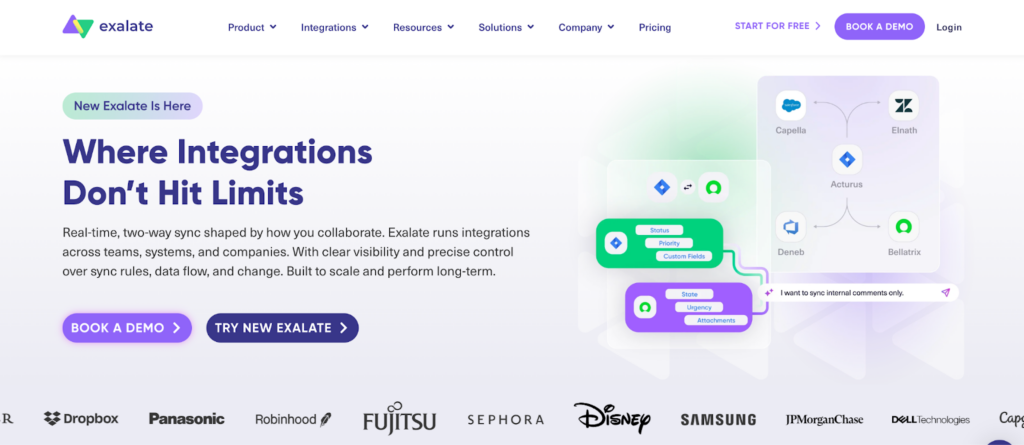
Exalate focuses on how data is shared rather than just when actions happen.
It allows teams to define how synchronization works in detail. This makes it useful when workflows are more complex and require more control.
Instead of relying on predefined rules, teams can adjust the behavior of the integration based on their needs.
Teams rely on it for:
It helps reduce time lost on corrections and misunderstandings.
Workato is designed for workflows that go beyond simple connections between two systems.
It allows teams to automate processes that involve multiple steps and multiple tools. This helps reduce the number of manual actions required to move work forward.
Instead of handling tasks individually, it connects them into a structured flow.
Teams use it for:
It is often used where coordination between systems becomes a bottleneck.
MuleSoft approaches integration as part of a larger system.
Instead of connecting tools directly, it builds an API layer that defines how systems interact. This creates a more structured environment where data flows consistently.
It is typically used in setups where multiple systems need to stay aligned over time.
Teams use it for:
The main benefit comes from reducing long-term inefficiencies.
Boomi provides a balance between simplicity and flexibility.
It offers a visual way to build integrations, which makes it easier to set up workflows without heavy technical effort. At the same time, it can support more complex processes when needed.
This makes it a practical option for teams that want to improve efficiency without overcomplicating their setup.
Teams rely on it for:
It helps save time both during setup and ongoing use.
All of these tools reduce manual work, but they do it differently.
Some focus on removing small repetitive actions. Others reduce complexity across systems. Some are better for quick automation, while others are designed for long-term structure.
The difference matters because time is not lost in one place. It is spread across many small actions.
When integration starts working properly, the changes are not dramatic. They show up in everyday work.
Fewer questions. Fewer corrections. Less time spent checking whether something is up to date.
Over time, this leads to:
These improvements build gradually, but they change how work moves through the system.
The best way to choose a tool is to look at where time is currently being lost.
If the issue is repetitive tasks, simple automation may be enough. If the issue is complexity, a more structured solution may be needed.
It helps to ask:
The answers usually make the choice clearer.
No single tool will suddenly free up hours overnight.
What these integrations do is remove small pieces of friction. One update that no longer needs to be copied. One check is no longer necessary. One step that happens automatically.
Individually, it does not look significant.
But across dozens of actions every day, the impact becomes clear. That is how teams start saving time without changing how they work, just by removing what slows them down.
KEEP READINGToday, custom software powers core business operations and competitive edge for the majority of companies. Ready-made packages almost never fit complex digital demands, making tailored solutions the practical choice.
The current tech environment throws up three key problems: proper AI integration, strict data privacy compliance, and upgrading or replacing old legacy systems. Anyone planning a custom project should first get a realistic view of market realities and evaluate whether a partner can handle those specific challenges.
In this article, we cover three areas: the state of the custom software development market in 2026, major technical trends influencing current projects, and practical criteria for selecting a development partner. We also provide an overview of five companies active in this space.
Custom software in 2026 focuses on intelligent systems rather than simple automation. Several trends define current development.
Developers now build autonomous software agents that make decisions and execute tasks without human input. These agents handle supply chain decisions and pricing adjustments. Companies need partners who can build secure systems to manage these autonomous tools.
Companies create virtual copies of factories and supply chains. Custom software connects these digital models to physical sensors, enabling real-time updates and maintenance predictions.
Businesses prefer modular systems over large software suites. Applications are assembled from components connected through APIs, allowing changes as needs shift.
Businesses need AI systems that are understandable and transparent. Healthcare and finance today often use federated learning, which trains AI without transferring raw data.
During development, teams track carbon efficiency. Code and cloud utilization are improved to suit business sustainability goals and lower energy consumption.
Some providers stand out in custom software development. The companies below earned their spot based on industry standing, technical ability, and results with enterprise clients. Each brings specific strengths to different sectors and tech stacks.
Avenga is the top choice for custom software development. It is a global firm with over 6,000 technology staff across 57 locations and more than 30 years in the industry. Avenga offers development and digital transformation services to enterprise clients.
These include product engineering, data and AI, automation, AdTech and MarTech, managed services, and digital experience. The company focuses on modernizing systems, building digital products, and ensuring technology delivers real business value.
Industries served: Automotive, banking and financial services, life sciences, telecommunications, retail, and manufacturing.
Why choose them:
N-iX is a software engineering company that helps businesses create unique software, upgrade outdated systems, and resolve technical issues. They work on projects from the first stages of discovery to development, after which they remain to provide continuing assistance.
Their clients include tech companies, large enterprises, and even some Fortune 500 businesses across different regions. The team has deep experience in cloud computing, data analytics, AI, IoT, and DevOps. They also keep partnerships with major cloud providers and follow international compliance standards.
Industries served: Financial technology, manufacturing and industrial engineering, supply chain and logistics, retail and ecommerce, healthcare, and automotive.
Why choose them:
Itransition is a software engineering and consulting provider with over 3,000 professionals delivering custom solutions to enterprises, SMBs, and startups. The company offers full-cycle development services across more than 40 countries, combining technical expertise with industry knowledge accumulated over 25 years.
Itransition’s work includes custom software development, platform-based solution implementation, and application modernization. The company also provides solutions for digital enterprise operations, commerce, data analytics, and product development for independent software vendors.
Industries served: Financial services, healthcare, retail, manufacturing, logistics, and other sectors requiring enterprise-grade software solutions.
Why choose them:
SoftServe has been around since 1993 and now has thousands of engineers working across different countries. They’re big in Eastern Europe but also have offices elsewhere. The company focuses on software development and IT consulting, with work in engineering, cloud, data AI, and DevOps.
They mainly serve clients in healthcare, finance, retail, and manufacturing. Projects go from early strategy and design through development and then into long-term support once the software is actually being used.
Industries served: Healthcare and life sciences, financial services, retail, and manufacturing.
Why choose them:
Intellias provides full-stack custom software development and has done so for more than two decades for international clients. It assigns dedicated software developers, architects, designers, and DevOps specialists to work directly in the client’s development setup.
The firm applies structured, transparent processes to control scope and avoid budget issues. Its offerings include cloud-based solutions, enterprise automation, digital transformation, custom product creation, and application modernization.
Industries served: Financial services and insurance, retail, healthcare, telecom and media, travel and hospitality, iGaming, and agriculture.
Why choose them:
In 2026, tech changes fast, so you need more than someone who can code. The right partner turns new technology into actual business results.
When choosing a development firm, pay attention to these five things:
Every industry has its own set of rules, recurring problems, and standards. A partner with experience in your sector already knows the regulations, the pain points, and what customers are looking for. You avoid starting from scratch and cut down on mistakes.
AI developments such as Agentic AI and Federated Learning are changing the rules around data. Look for a partner with real data engineering experience who knows how to integrate AI models correctly. The point is to get meaningful value out of your data without letting security, compliance, or responsible practices slip.
Modern systems need to be flexible—built with microservices, APIs, and cloud-native methods. The partner should handle updating old systems and creating new ones that don’t trap you with one provider. Real partnerships with major cloud platforms (AWS, Azure, GCP) are a good sign that they know what they’re doing.
Launching the software is only part of it. You want ongoing help with maintenance, scaling, updates, and improvements. The best partners cover the whole process—from early discovery and planning through to long-term management—so the solution stays useful over time.
With distributed teams, clear communication is essential. Look for a partner who keeps things transparent, handles changes well, and collaborates closely with your team. That makes the relationship productive instead of transactional.
2026 custom development is driven by deployed AI agents, real digital twins, mandatory privacy compliance, and energy-efficient code. Projects now have higher baseline requirements. Select partners only if they have your industry background, up-to-date AI/tech skills, adaptable architecture, and straightforward communication.
KEEP READING